
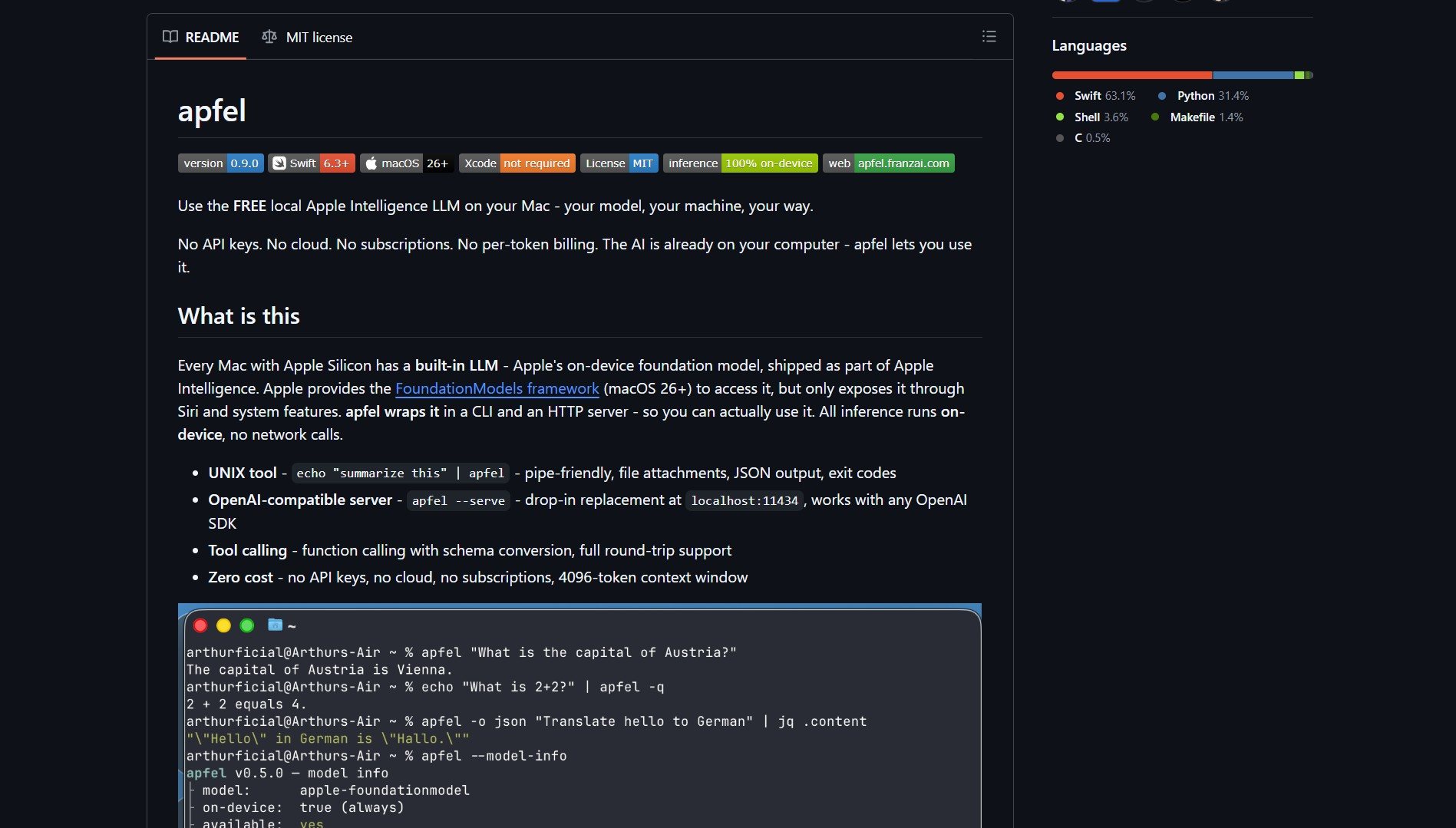
Your Apple Silicon Mac already has a 3-billion parameter language model sitting on disk, locked behind Siri. Apfel by Arthur-Ficia is a native Swift project that wraps Apple’s on-device Foundation Model into a CLI tool and an OpenAI-compatible HTTP server. No API keys, no cloud, no per-token costs. It runs entirely on your Neural Engine.
What Is Apfel?
Apfel is for Apple Silicon Mac users who want to run a local AI model without APIs or cloud dependencies. It gives you direct access to the hardware-accelerated model already installed on your machine.
The project exposes two interfaces:
- CLI Tool – Run the model directly from your terminal for quick queries and script integration.
- OpenAI-compatible HTTP Server – Spin up a local server that mimics the OpenAI API, allowing you to use existing tools that talk to OpenAI endpoints, but with zero network latency and no usage costs.
Inference happens entirely on the Neural Engine, keeping everything on-device and private.
Technical Details and Limitations
The model is a 3B parameter LLM, but there are caveats around quantization:
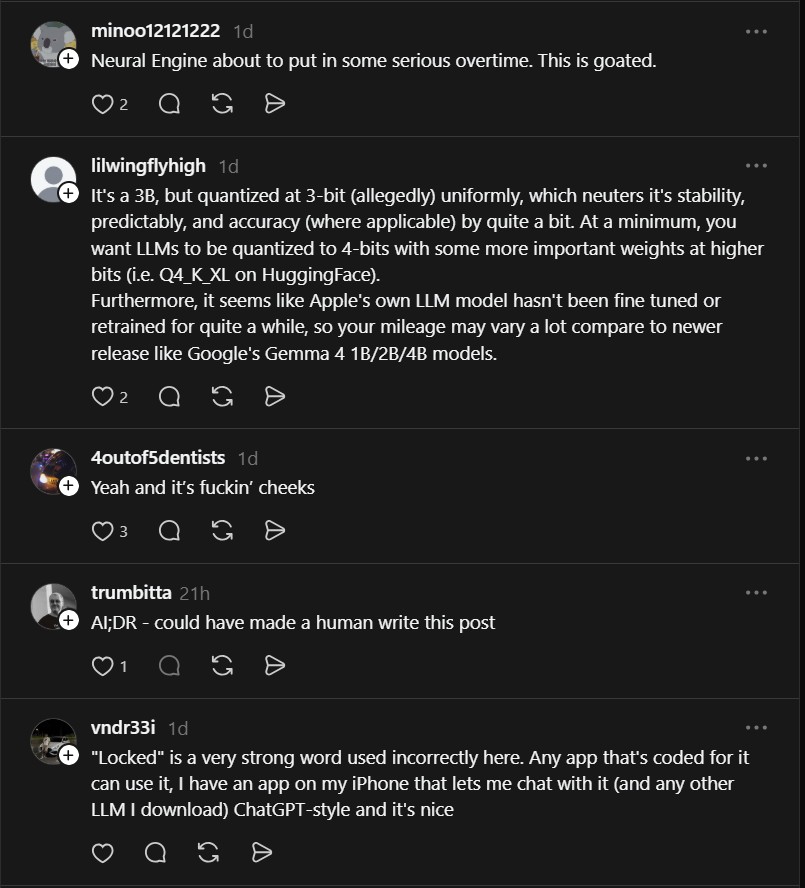
“It’s a 3B, but quantized at 3-bit (allegedly) uniformly, which neuters its stability, predictably, and accuracy by quite a bit. At a minimum, you want LLMs to be quantized to 4-bits with some more important weights at higher bits. Furthermore, it seems like Apple’s own LLM model hasn’t been fine tuned or retrained for quite a while, so your mileage may vary a lot compared to newer releases.”
– @lilwingflyhigh
What It’s Good For
- Explaining code snippets – Plain-English breakdowns of short scripts.
- Spotting simple issues – Identifying obvious syntax or logic errors.
- Educational scenarios – Step-by-step explanations of shell commands or basic programming constructs.
What It Struggles With
- Fixing full scripts – Loses context and structure on larger files.
- Multi-step debugging – Can’t maintain coherent debugging sessions across many lines.
- Production-grade code generation – Not reliable for real-world development tasks.
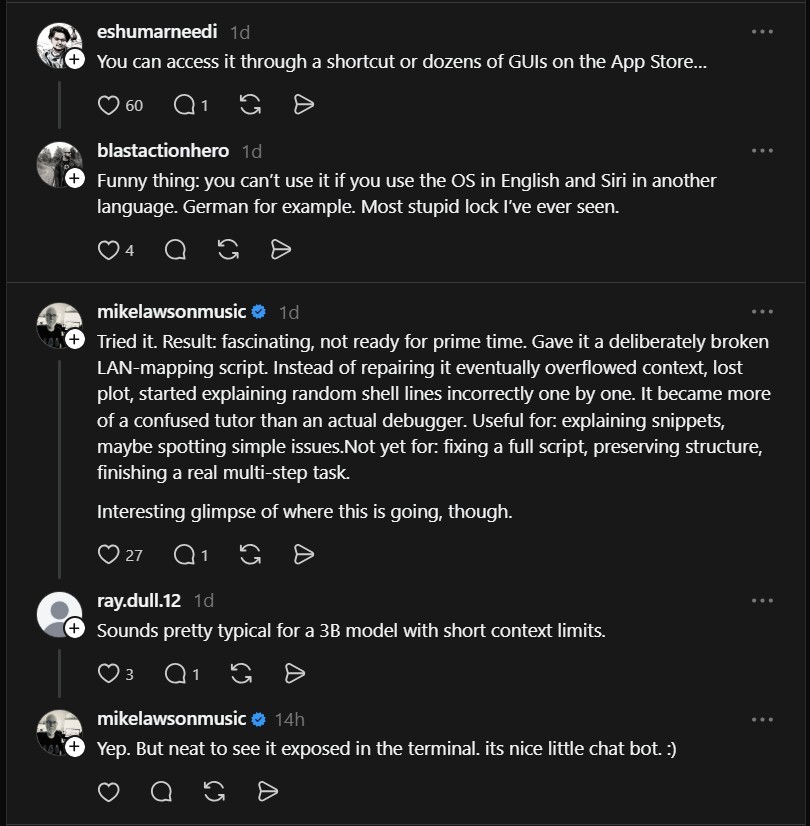
“Tried it. Result: fascinating, not ready for prime time. Gave it a deliberately broken LAN-mapping script. Instead of repairing it eventually overflowed context, lost plot, started explaining random shell lines incorrectly one by one. It became more of a confused tutor than an actual debugger.”
– @mikelawsonmusic
Getting Started
Project link: https://github.com/Arthur-Ficial/apfel
Install via Homebrew or build from source. Once installed, run the CLI or start the HTTP server and point your OpenAI-compatible tools to http://localhost:8080.
While Apfel isn’t a drop-in replacement for cloud-based models like GPT-4, it represents a step toward truly local, private AI inference. For developers curious about what their Mac’s Neural Engine can already do, it’s a free window into edge AI.
Need more power? Flash-moe – stream massive 397B MoE models directly from your SSD.