
Have you ever wanted to create your own music but felt that it was too hard, too expensive, or required special skills? Maybe you don’t know how to play instruments or use professional software. Today, thanks to AI technology, anyone can make music for free using only a phone or computer.
With AI music tools, you can create instrumental tracks for videos, social media, presentations, or even to sell online. You don’t need musical training—just the right tool and a simple guide. In this article, you will learn how to make AI-generated songs for free using Suno in an easy and practical way.
Step-by-Step Instructions to Make AI Songs for Free
Before starting, make sure you have internet access and a free email account.
Step 1: Create a Free Suno Account
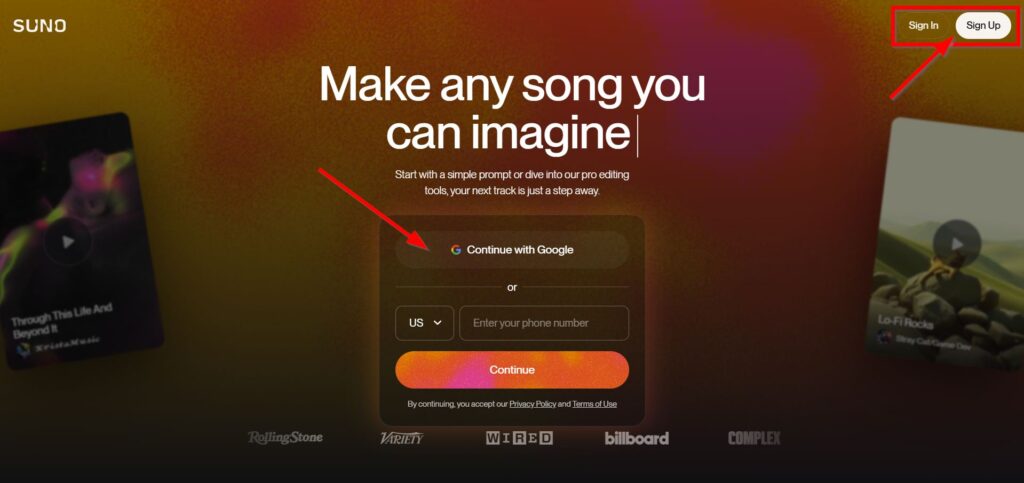
- Go to https://suno.com
- Click Sign Up or Log In
- Use Google or email to register
- Complete the login process
After logging in, you will see the music creation dashboard. Suno usually updates automatically, so you don’t need to worry about versions.
Step 2: Choose Instrumental Music Mode
For beginners, instrumental music is the easiest option. On the main page:
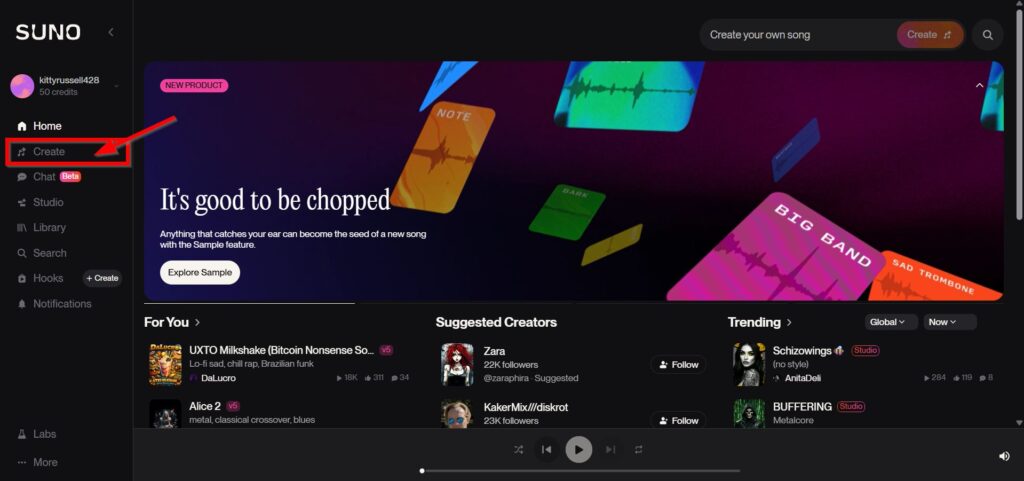
- Click Create
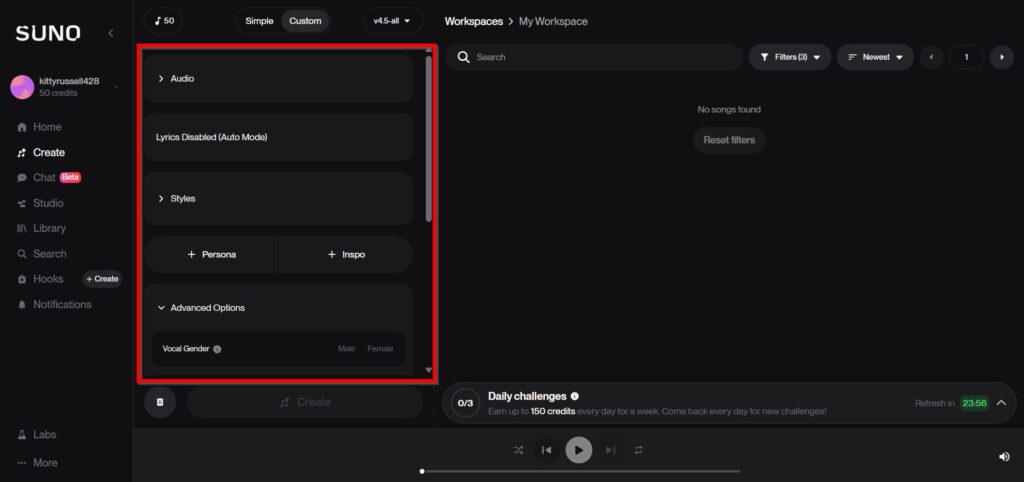
- Select Custom Mode (if available)
- Leave the lyrics box empty
- Ignore vocal or singer settings
This will help you generate music without voices.
Step 3: Enter a Good Music Prompt
A prompt is a description of the music you want. It tells the AI how your song should sound.
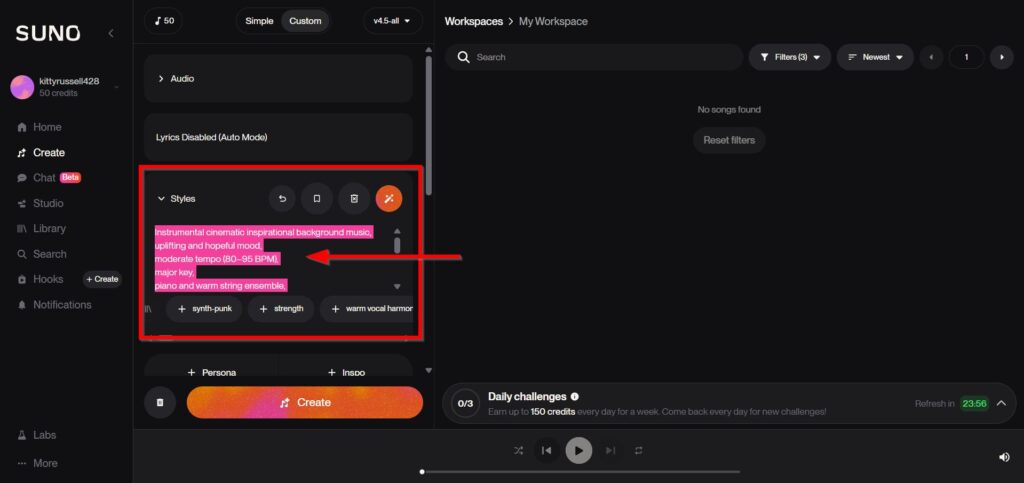
Copy and paste this example:
Instrumental cinematic inspirational background music,
uplifting and hopeful mood,
moderate tempo (80–95 BPM),
major key,
piano and warm string ensemble,
graduaal build-up, emotional climax in the final section,
wide cinematic atmosphere,
no vocals,
perfect for inspirational videos, documentaries, and dakwah content
Paste it into the Style or Prompt box.
You may edit the words later to match your own style.
Step 4: Generate Your AI Song
After entering the prompt:
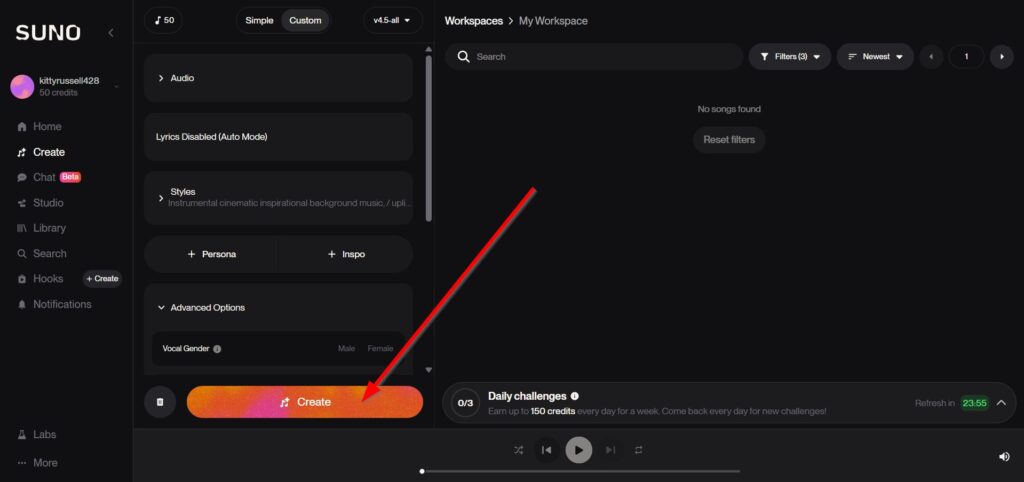
- Click Generate
- Wait about 30–60 seconds
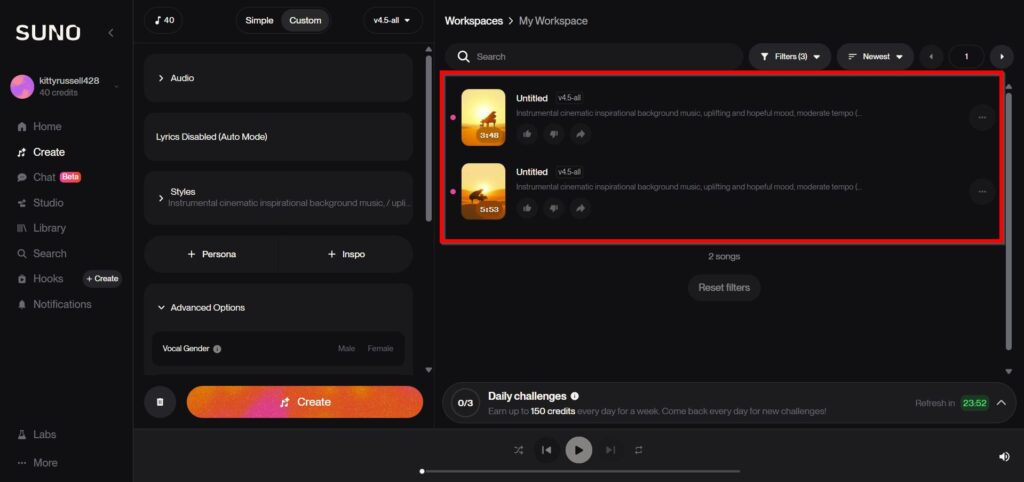
- Suno will create one or two tracks
- Listen to the results
If you don’t like them, click Generate Again and try again. This is normal, and most users do it several times.
Step 5: Download the Music File
When you find a song you like:
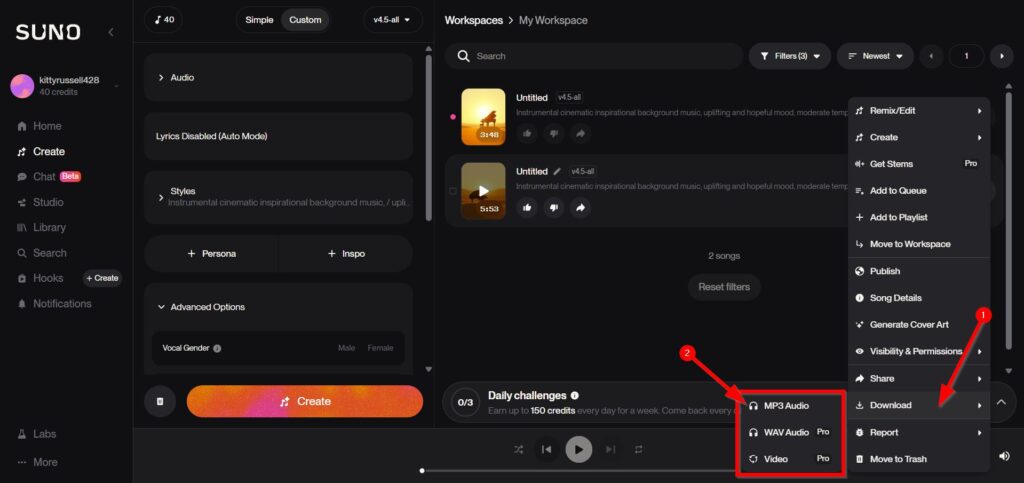
- Click Download
- Choose MP3 or WAV format
- Save it to your device
Now you have your own AI-generated music file.
Making AI songs for free is now simple and open to everyone. You don’t need musical skills, expensive tools, or studio equipment. With Suno and good prompts, you can create quality instrumental music in just a few minutes.
By practicing regularly, editing lightly, and trying different styles, you can use AI music for personal projects or even to earn extra income. Start small, stay creative, and enjoy turning your ideas into real music.
- How to Generate Music with ACE-Step 1.5 on Consumer GPUs
ACE-Step 1.5 generates commercial-quality full songs in under 2 seconds on an A100 with only 4GB VRAM ACE-Step 1.5 is..
- Gridline: A Free Bloomberg Alternative for OSINT
Gridline is a self-hosted risk dashboard for traders, analysts, and OSINT work. It pulls conflict, finance, and news signals into..
- Nvidia Build Their Own Version of Openclaw
Nvidia is quietly preparing to launch a major new platform for AI agents, and it could change how businesses use..
- Facebook Acquire Moltbook, AI-Only Social Platform
Meta, the company behind Facebook and Instagram, has made a move that sounds like something straight out of a science..
- Top 5 OpenClaw AI Agent Alternatives You Can Deploy for Free
Openclaw has been getting a lot of attention lately, but nearly half a million lines of code and 70-plus dependencies..
- How to Install OpenClaw on a Local VPS Without Subscription Fees
If you want your own private AI assistant running on your own server, not on someone else’s platform, OpenClaw might..

