A solo developer just shipped one of the most genuinely delightful open source tools of 2026, and it is the kind of project that makes you smile the first time you see it in action. The tool is called Air Draw, and it is a Chrome extension that lets users draw directly on top of a video call using nothing but hand gestures in front of a webcam. No drawing tablet, no stylus, no whiteboard app, no second screen share.
The extension runs in the browser and works with Google Meet, Zoom, and any other browser based meeting platform, which means the user keeps eye contact with the camera, moves their hands to draw, and the audience sees the strokes appear live in the meeting window. The use case is obvious the moment it is described: explain a concept visually during a call without ever leaving the meeting, opening a separate tool, or breaking the flow of the conversation.
This is not a hardware gimmick. It is a genuinely useful productivity tool that solves a workflow problem most remote workers have quietly tolerated for years.
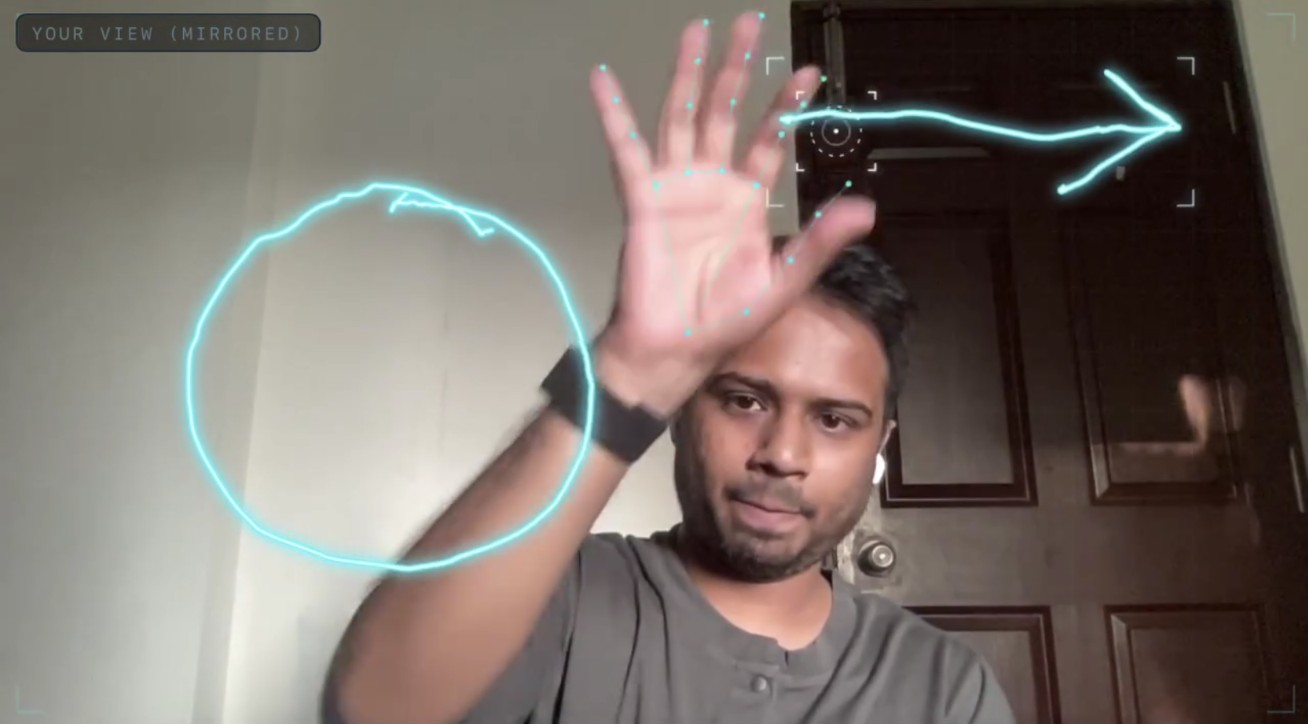
The Problem Most Video Call Workflows Leave on the Floor
The current state of visual explanation during remote calls in 2026 is broken, and the cost shows up in lost attention, broken explanations, and frustrated participants who switch tabs to keep up.
- Whiteboard Apps Break the Call: Opening Miro, Excalidraw, or Google Slides means leaving the meeting window, which kills eye contact and splits attention between two screens
- Screen Sharing Is Heavy and Slow: Sharing a second tab to draw on a blank document requires permission grants, layout juggling, and a setup cost that is too high for quick visual explanations
- Drawing Tablets Are Expensive and Rare: Most people do not own a stylus tablet, and asking remote teams to buy one for the occasional explanation is unreasonable
- Annotation Tools Are Limited: Built in annotation features in Zoom and Meet are clunky, usually require a mouse, and do not feel natural compared to drawing by hand
- Gestures Are an Unused Input: Webcams are sitting on millions of desks capturing hands, faces, and movement, but almost no meeting tools actually use the camera as an input device
Air Draw is built to fix all five of these problems using hardware every remote worker already owns, which is the only sustainable way to fix them.

What is Actually in the Project
The build is focused rather than bloated, which is the right call for a tool that has to feel instant to be useful during a live call.
- Hand Gesture Drawing in the Browser: The extension captures hand movement through the webcam and turns it into strokes on the meeting canvas, with no extra hardware required
- Works Across Meeting Platforms: Air Draw runs on top of Google Meet, Zoom, and other browser based calls, which means it does not require platform specific integrations or approvals
- Chrome Extension Distribution: The Chrome extension format means installation takes a single click, and updates happen automatically without any maintenance from the user
- No Drawing Tablet Required: Because the input is the hand and the webcam, the barrier to entry is whatever webcam the user already has on their laptop
- Free and Open to Try: The live demo is hosted at air draw dusky on Vercel, so anyone can try the gesture detection in a browser tab before installing the extension
This is the rare productivity tool that costs nothing, installs in a click, and produces a visible wow moment the first time someone uses it on a call.
Who This is for
The audience for Air Draw is the remote work, education, and content creation community that has been looking for a faster way to explain things visually during live conversations.
- Teachers and Online Tutors: Educators running lessons over video who need to draw diagrams, write formulas, or sketch concepts in real time without leaving the meeting window
- Presenters: Speakers running product walkthroughs, sales calls, and stakeholder updates who need to annotate and draw live without juggling tabs
- Remote Teams: Distributed teams running daily standups, design reviews, and brainstorming sessions who need a quick visual layer without scheduling a separate whiteboard tool
- Content Creators: Creators recording video content who want to draw on screen during recordings without buying a tablet or learning a stylus app
- Anyone Explaining Ideas Visually: The long tail of users who, every few weeks, end up trying to describe a diagram with their hands and wishing the camera could just capture it
If you have ever ended a video call and realized you spent half of it trying to describe a shape with words, this tool is for you.
What People are Saying
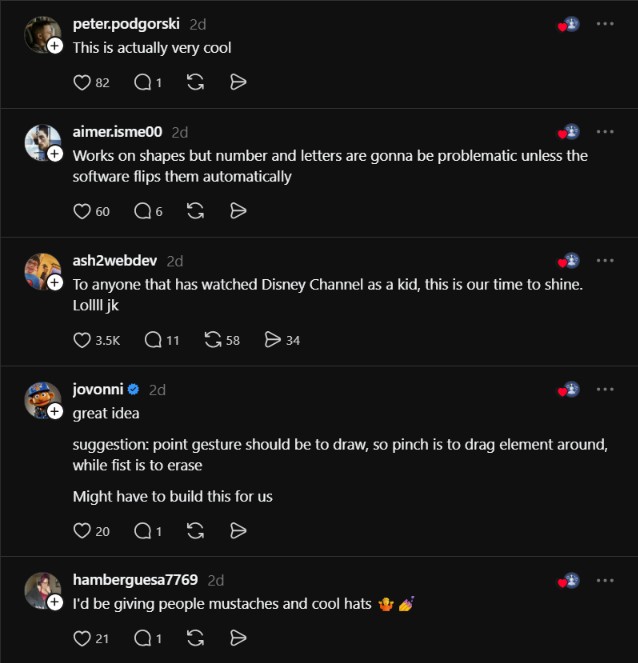
The reaction to Air Draw has been a mix of delight, practical feedback, and exactly the kind of playful energy a project like this deserves.
Its so cool you see people building cool things these days.
@irerehprince
Great idea. Suggestion: point gesture should be to draw, so pinch is to drag element around, while fist is to erase. Might have to build this for us.
@jovonni
I’d be giving people mustaches and cool hats 🤷💅
@hamberguesa7769
The community reaction confirms what the demo itself suggests. The concept is engaging, the gesture vocabulary is intuitive enough that users start suggesting control schemes within minutes, and the playful use cases come just as fast as the serious ones. That is the signal of a tool that solves a real problem and is fun to use at the same time.
Why This Matters for the Remote Work and Education Workflow
The bigger story is not the hand gesture detection. It is what becomes possible when visual explanation during a video call becomes as natural as talking with your hands in a physical room.
- Meeting Flow Stays Intact: No tab switching, no screen share permission popup, no separate whiteboard tool, which means the explanation flows at the speed of the conversation
- The Setup Cost Drops to Zero: The webcam is already there, the Chrome extension installs in a click, and the meeting keeps running, so the cost of drawing on a call drops from minutes to seconds
- Visual Communication Becomes a Default: Once drawing on a call is this easy, more concepts get explained visually rather than verbally, which improves clarity for everyone on the call
- The Tool Feels Like a Superpower: The first time a user draws on a video call with hand gestures, the audience reaction alone is worth the install, which makes the tool self propagating inside teams
- The Category Expands: Because the project is open, builders can extend it with new gesture sets, drawing tools, and platform integrations that the original maintainer never planned
Link: https://air-draw-dusky.vercel.app/
Air Draw is the kind of open source project that reminds the developer community why we build in public. The tool is small, focused, and immediately useful, and it solves a problem every remote worker has felt without being able to name. The repository is not a finished enterprise product, and it is not trying to be, but it is one of the most shareable developer projects of 2026, and the use cases from teachers to prank loving coworkers are already obvious.
Anyone running remote lessons, daily standups, or design reviews should install the extension before the next call and try drawing a diagram with their hands. The reaction from the other people on the call will sell the tool for you. Whiteboard apps were the right answer for visual explanation in 2018. Hand gestures on a video call are the right answer for visual explanation in 2026.

