
Cline is an AI coding assistant that works directly in your terminal and editor. Originally launched as Claude Dev, it has been rebuilt around Claude Sonnet’s agentic coding capabilities. It includes a human-in-the-loop safety net.
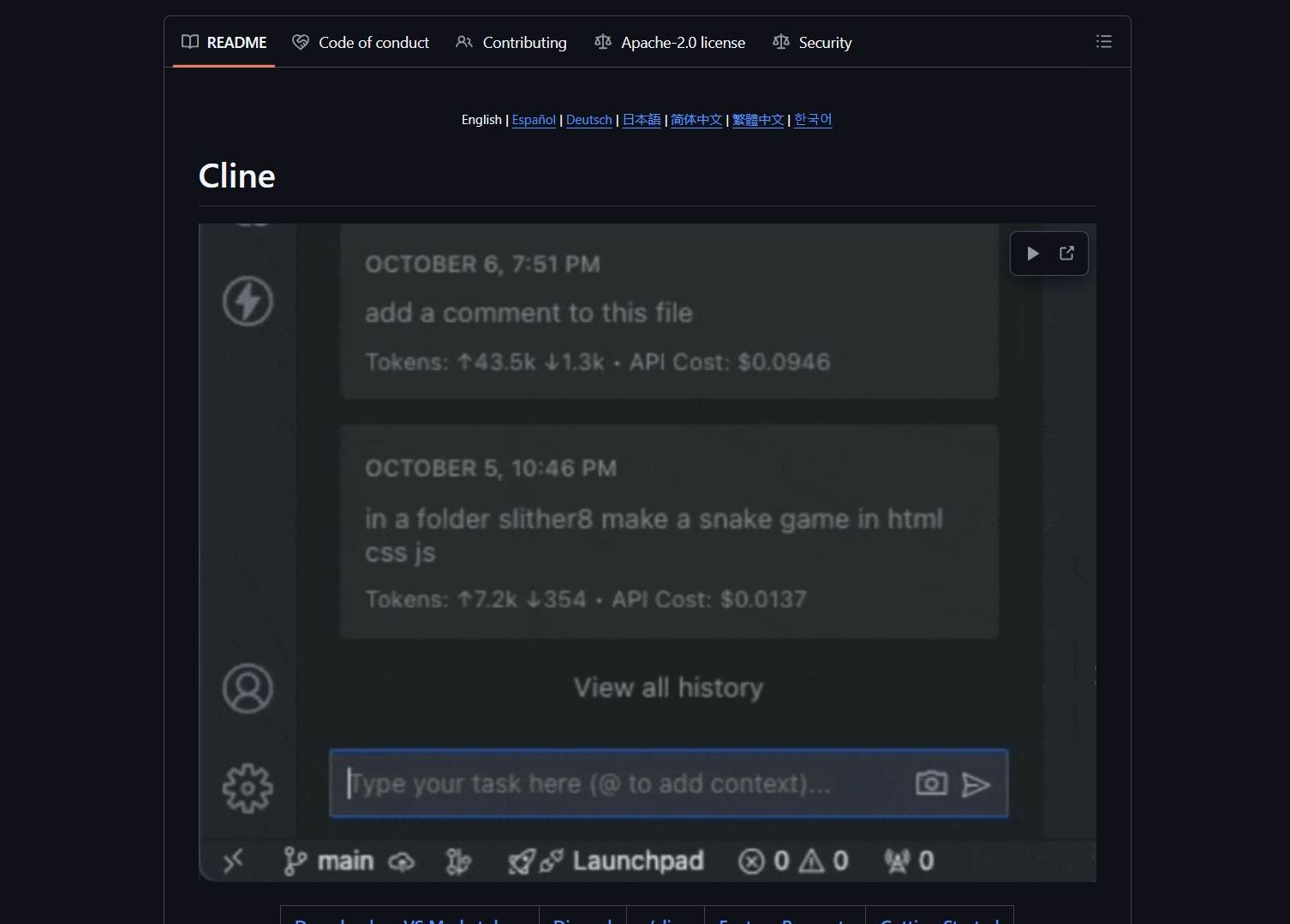
Cline bridges the gap between autonomous AI agents and safe, practical development workflows. It can handle complex tasks step-by-step and create or edit files. The assistant explores large projects and uses the browser for research.
Cline executes terminal commands with explicit approval. It extends via the Model Context Protocol for custom tool creation.
Project Repository
Project link:
https://github.com/cline/cline
How to Deploy & How It Works
Cline consists of several key components. The Claude Sonnet Engine powers agentic reasoning and code generation. The Human-in-the-Loop GUI provides a visual approval interface for each change. MCP Integration allows tool creation via the Model Context Protocol.
The Terminal Command Guard requires explicit approval for CLI operations. Project-Aware Navigation understands codebase structure and dependencies.
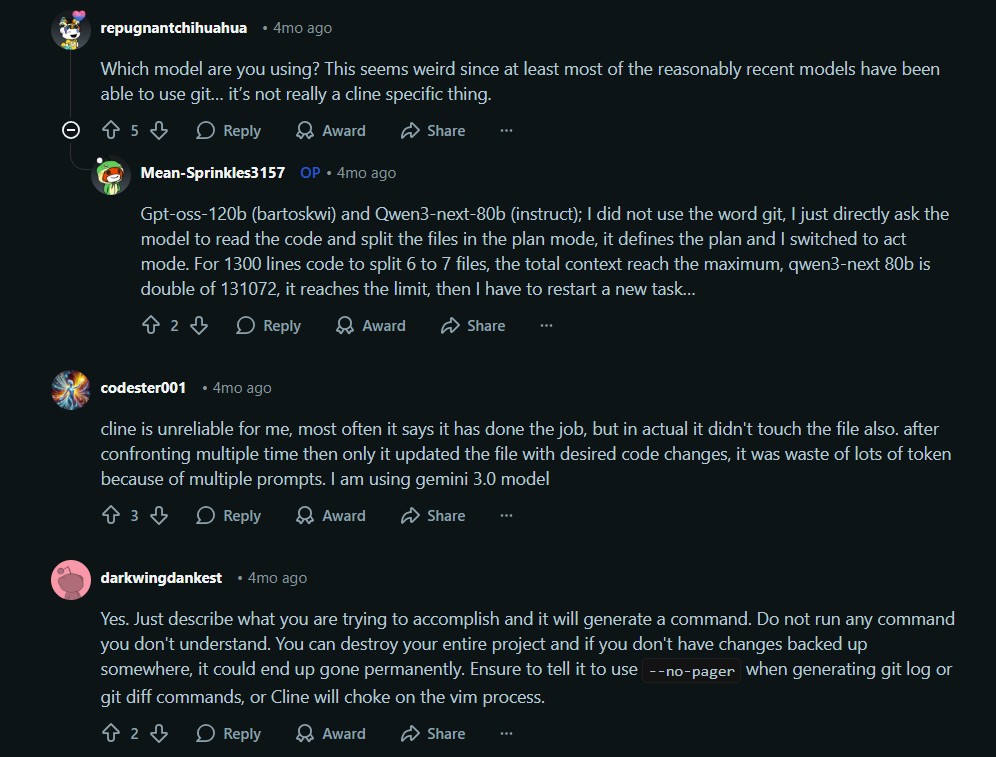
Community feedback reveals both Cline’s potential and current limitations. While its architecture is impressive, reliability can vary based on the underlying model and specific tasks. The human-in-the-loop design helps catch these issues, but you need to stay engaged during the process.
- Install the Cline extension for VS Code or your preferred editor.
- Configure your AI model, preferably Claude Sonnet for best results.
- Start with simple single-file changes to build confidence in the workflow.
- Use the approval interface to review each proposed change before applying it.
- Explore MCP servers to extend Cline’s capabilities with new tools.
- Consider enabling selective auto-approval for trusted operations once comfortable.
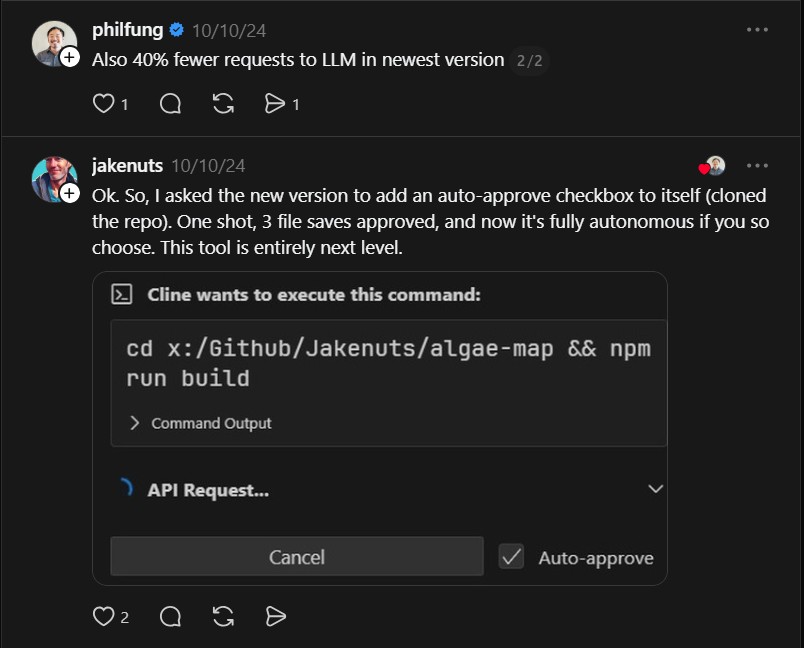
As one user demonstrated, you can ask Cline to add features to itself. With a single prompt, it can modify three files and become fully autonomous if you choose. This flexibility is similar to the real-time communication capabilities in Claude Peers MCP, where Claude Code instances coordinate directly. It also mirrors the architectural approach seen in Claw Code, where Rust-based agents run in sandboxed environments.
The Verdict / The Catch
Cline represents a shift from AI-as-autocomplete to AI-as-collaborator. It is not trying to replace you, but to amplify your capabilities while keeping you firmly in control. The human-in-the-loop design acknowledges that AI isn’t perfect, but that imperfection doesn’t have to mean uselessness.
What makes Cline particularly interesting is its foundation on the Model Context Protocol. This is not a closed system, but an extensible platform where developers can add new tools and capabilities. That openness suggests Cline could evolve far beyond its current form, becoming a genuinely customizable development partner.
If you have been curious about agentic AI but wary of fully autonomous systems, Cline offers a compelling middle ground. It provides all the power of Claude Sonnet’s reasoning with a safety net that keeps you in the driver’s seat.
- How to Use Velo as a Local-First Desktop Email Client
Velo is a blazing-fast, keyboard-first desktop email client with local SQLite storage Velo is a desktop Gmail client built with..
- How to Use PentAGI for Autonomous AI Red Teaming
PentAGI is an autonomous AI red team system that performs penetration testing with zero human input PentAGI is a fully..
- How to Use Dexter for Autonomous Financial Research
Dexter is an autonomous financial research agent that plans, executes, and validates its own investment analysis Dexter is an autonomous..
- How to Use PageIndex for Vectorless RAG on Complex Documents
Badge PageIndex argues that similarity is not the same as relevance, and it offers a vectorless, reasoning based approach to..
- How to Use OpenWork as a Desktop Interface for DeepAgents
Badge OpenWork is an opinionated desktop interface for deepagentsjs, it exposes filesystem planning, subagent delegation, and direct tool access so..
- How to Use Lightpanda as a Fast Headless Browser for Agents
Badge Lightpanda Browser is a headless browser written from scratch in Zig, built specifically for AI agents and automation workflows…

