Everyone is talking about Claude Design right now, but a quiet group of UI and motion designers is going back to Gemini 3.1 Pro, and the reason is not hype. It is the result on screen.
This article is for UI/UX designers, creative developers, and indie makers, and it solves the problem of generic looking AI generated web animations and expensive design iteration by using Gemini 3.1 Pro to generate polished motion design systems and dynamic landing page animations from simple prompts with lower friction and better visual quality.
The core frustration with most AI design tools in 2026 is the same. Outputs feel generic, motion feels stiff, and credits disappear faster than the value. Gemini 3.1 Pro is currently the strongest counterexample, especially for motion heavy work, and the workflow is simple enough that it can replace several manual steps in a typical design pipeline.
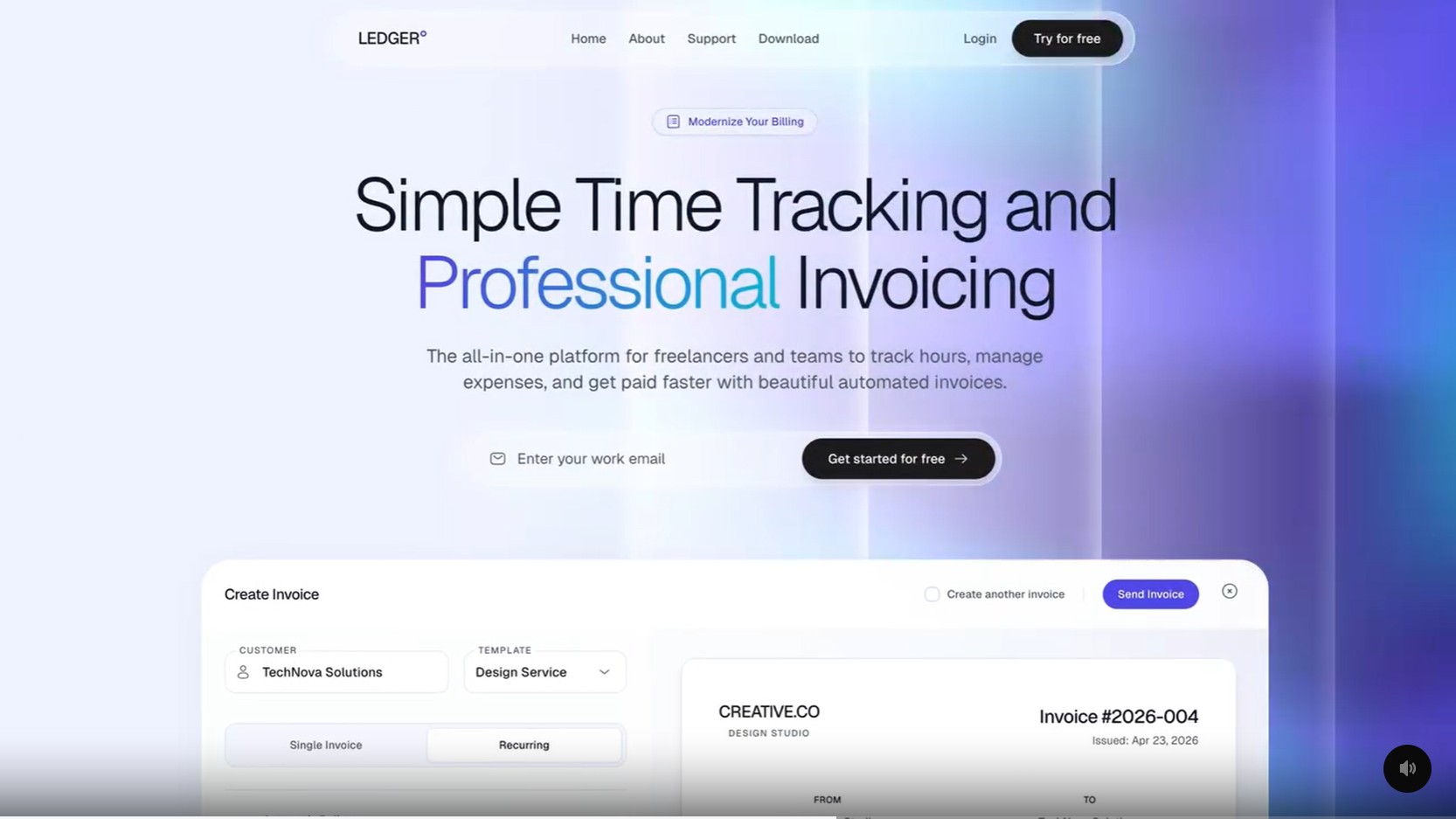
Why Most AI Design Tools Still Feel Like AI Slop
The term AI slop has stuck around because it describes a real pattern. Outputs from most generative design tools share the same tells: rounded corners on everything, generic gradients, motion that is technically present but emotionally flat, and layouts that look like every other AI demo on Twitter. Designers spot it instantly, and so do users.
The deeper issues are:
- Generic visual language that converges on the same aesthetic across prompts.
- Motion that lacks weight, easing, and intention, often feeling like a CSS transition slapped on a div.
- Heavy manual cleanup required to make the output look production ready.
- Credit consumption that punishes iteration, which is where most good design actually comes from.
- Weakness on dynamic states, transitions, and interaction logic, which are exactly the parts that make a landing page feel alive.
A tool that fails on two or three of these is hard to use professionally. A tool that fails on all of them is a toy.

How Gemini 3.1 Pro Fits into a Motion Design Workflow
Gemini 3.1 Pro is not a design app. It is a strong reasoning model that happens to be unusually good at motion generation when prompted correctly. The practical workflow is built around three moves.
- Generate the design system. Use Gemini to produce a clean design system, color tokens, typography scale, and component specs. This becomes the single source of truth for the rest of the project.
- Export the static layout to HTML. Take the design and translate it into a static HTML and CSS structure. Keep it semantic and clean. This is the canvas.
- Prompt Gemini to add motion. Ask for transitions, micro interactions, scroll behavior, and dynamic state changes. The model can transform a static layout into a polished, motion rich experience in a single prompt, and the output usually requires only minor cleanup.
The biggest advantage is the ability to modernize old landing pages automatically. A designer can paste a static HTML layout from an older project, ask Gemini to add motion, and get back a version that feels current without rebuilding it from scratch. That is a massive time saving for studios and indie makers maintaining multiple product pages.
How it Compares to Claude Design
Claude Design gets attention because of the brand, but in practice the credit model is the bottleneck. Designers experimenting with Claude Design report running out of credits in as few as two prompts, which kills the iteration loop that motion design depends on. Motion work is not a one shot generation. It is a sequence of small refinements until the timing feels right.
Gemini 3.1 Pro offers a different tradeoff. The visual output is less brand hyped but consistently more polished on motion, and the iteration cost is lower, which means more experiments, more variations, and a better final result. For a designer who cares more about the final screen than the tool name attached to it, that tradeoff is easy to make.
What Designers are Saying
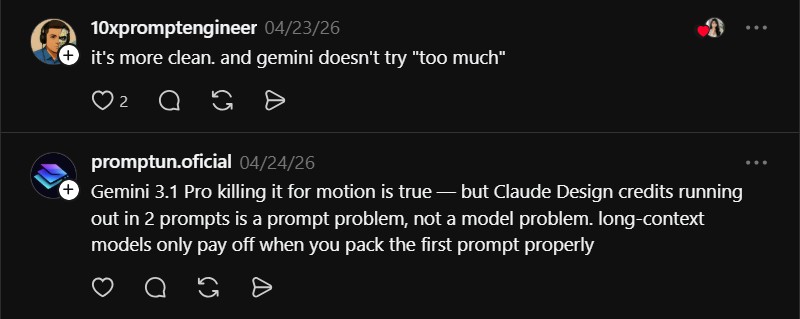
Community response has been balanced, which is a good sign. The strongest reactions are coming from people who have actually tested both tools, not just watched demos.
alt_anest (@alt_anest) said:
“Demos look really attractive and promising. If you are interested in this field, I encourage you to try out getcoherent.design (open source). It creates not only beautiful mockups, but entire product UI, consistent and scalable.”
That comment is useful because it highlights an open source alternative worth knowing about. Designers who want consistent, scalable UI generation should look at getcoherent.design at https://getcoherent.design alongside Gemini. The two tools solve slightly different problems and pair well.
promptun.oficial (@promptun.oficial) said:
“Gemini 3.1 Pro killing it for motion is true, but Claude Design credits running out in 2 prompts is a prompt problem, not a model problem. Long context models only pay off when you pack the first prompt properly.”
This is a fair pushback. Long context models do reward careful prompt design, and a well packed first prompt can extract a lot more value from Claude Design. The counterpoint from working designers is that motion work is iterative by nature, and a tool that punishes iteration, regardless of prompt quality, will lose to one that encourages it.
Final Take
If you are a UI designer, creative developer, or indie maker looking for a fast path to polished motion design, Gemini 3.1 Pro is the strongest option available in 2026. Build the design system, export the static HTML, prompt for motion, and iterate.
Combine it with open source tools like getcoherent.design for consistency, and you can produce production ready animated experiences in a single afternoon. The goal is not to pick a side in a tool war. The goal is to ship motion that does not look like everyone else’s AI output.

