
FreeMoCap is an open-source markerless motion capture system that works with any camera. This project transforms ordinary webcams and smartphones into research-grade motion capture devices. It eliminates the need for specialized suits, markers, or depth sensors. The system processes multiple 2D video feeds to reconstruct 3D human motion with scientific accuracy.
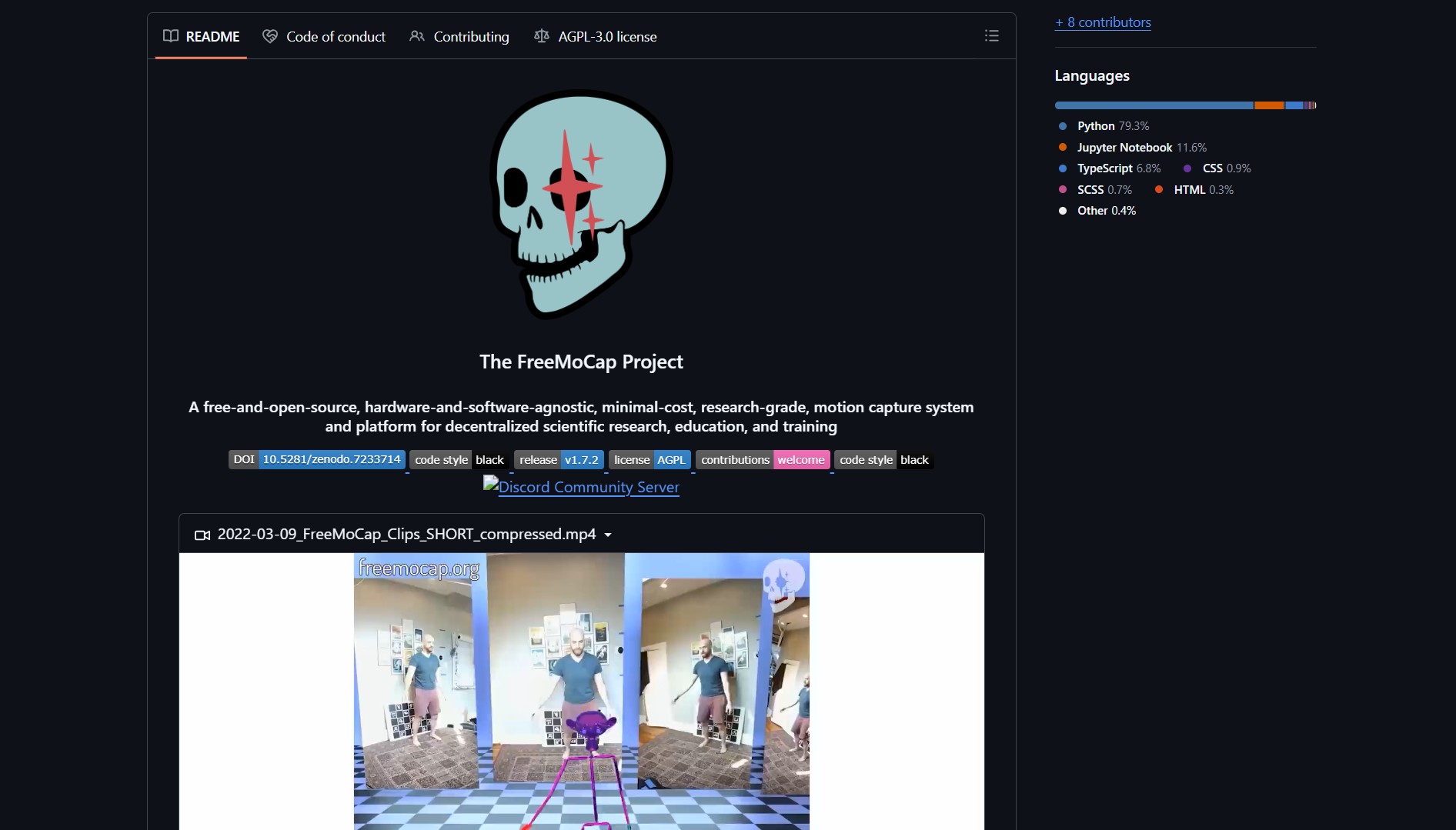
FreeMoCap solves the problem of expensive and inaccessible motion capture technology. Traditional mocap systems require thousands of dollars in specialized hardware and proprietary software. This project makes motion capture available to researchers, indie creators, and educators with limited budgets. The solution is hardware-agnostic, working with any camera setup from single webcams to multi-camera rigs.
Project Link
Project link:
https://github.com/freemocap/freemocap
How FreeMoCap Works: Markerless 3D Tracking
The FreeMoCap pipeline converts multiple 2D video feeds into 3D skeletal data:
- Camera Calibration – Calculates intrinsic and extrinsic camera parameters for accurate 3D reconstruction
- 2D Pose Estimation – Uses computer vision models like MediaPipe or OpenPose to detect body keypoints in each frame
- 3D Triangulation – Applies multi-view geometry to triangulate 3D positions from 2D detections across camera views
- Skeleton Fitting – Fits a kinematic skeleton to the 3D keypoints and applies temporal smoothing
The system outputs time-series 3D skeletal data in multiple formats including CSV, JSON, BVH, and FBX. These exports work with animation software like Blender, Unity, and Unreal Engine. Unlike traditional mocap, FreeMoCap requires no markers or specialized hardware.
How to Set Up & Use FreeMoCap
- Clone the GitHub repository using the project link above
- Install the required Python dependencies and computer vision libraries
- Set up your cameras – webcams, smartphones, or any video capture devices
- Run camera calibration to establish spatial relationships between cameras
- Capture video feeds and process them through the FreeMoCap pipeline
- Export the resulting 3D motion data to your preferred animation software
FreeMoCap requires basic Python environment setup and camera configuration. The repository includes comprehensive documentation for different setup scenarios. Community support is active for troubleshooting and advanced use cases.
The Verdict
FreeMoCap represents a significant democratization of motion capture technology. By eliminating cost, hardware, and expertise barriers, it opens motion capture to previously excluded communities. The project demonstrates how open-source computer vision can transform specialized professional tools into accessible community resources.
This approach aligns with other democratization projects like Math Science Video Lectures which makes elite education freely available. Similarly, MagicPods bridges ecosystem gaps between Apple and Windows. FreeMoCap continues this trend by making professional motion capture accessible to everyone.
- How to Detect Motion Through Walls with ESPectre
ESPectre turns a cheap ESP32 board into a motion detector that reads Wi-Fi signal changes rather than using cameras or..