Most diagram tools produce images. Images are not diff friendly, they do not live in pull request reviews, and they break the moment someone opens a README on a terminal. A developer going by qindapao just open sourced ASCII Draw, a tool that fixes this by letting you sketch flowcharts, boxes, trees, and tables in pure text.
You draw the diagram, copy it, and paste it anywhere. README, terminal, code comments, docs, anywhere a string of characters is accepted. The tool is 100% open source and the repository is live on GitHub.
This sounds small. It is not. ASCII Draw is solving one of the most quietly annoying problems in software documentation, which is that diagrams, the single most useful way to explain architecture, are also the single hardest thing to keep in version control.
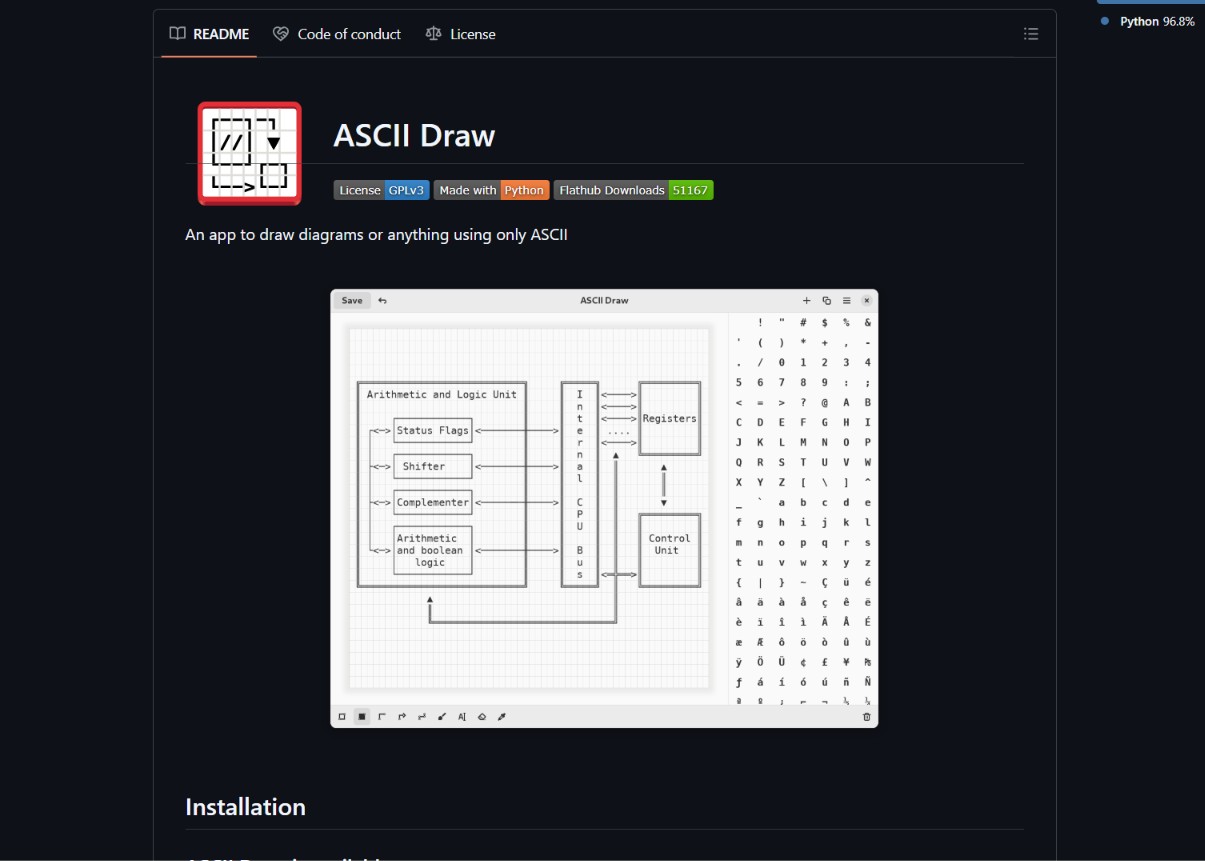
The Problem ASCII Draw Solves
Every developer who has maintained a technical repo for more than six months has hit the same wall. The architecture diagram is a PNG. Someone updates the system, but the PNG stays the same because editing it requires opening Figma, exporting, and re uploading. Six months later, the diagram is wrong, and nobody fixes it because the cost of fixing it is higher than the cost of being slightly wrong.
ASCII Draw kills that loop.
- Diagrams as Text: A flowchart, a tree, a table, or a box diagram is rendered as plain ASCII characters. The diagram is a string, and strings are Git friendly.
- Version Control Ready: Every change to a diagram is a diff in a pull request. Reviewers can see exactly what shifted, comment on the structure, and approve the update. That is impossible with PNGs.
- Portable Anywhere: An ASCII diagram renders in a terminal, in a Markdown file, in a code comment, in a Notion page, and in a chat window. No image preview needed, no external viewer, no broken link.
- Lightweight and Fast: No export step, no rendering pipeline, no heavy UI. You draw it, copy it, paste it. The entire workflow collapses to a few seconds.
This is the same logic that made Mermaid popular inside Markdown, but ASCII Draw is more flexible because the output is raw text rather than a rendered image, and that difference is what makes it work in places where Mermaid does not render.

Who This is for
The use cases are specific, and the audience will recognize themselves immediately.
- Developers: Anyone who maintains a repo and needs architecture diagrams that actually stay in sync with the code. ASCII Draw makes the diagram part of the code review.
- DevOps Engineers: Pipeline diagrams, infrastructure topology, and incident response flowcharts often live in wikis that drift out of date. ASCII versions of those diagrams live in the repo next to the actual config files.
- Technical Writers: Documentation teams who write API references and architecture guides know that diagrams are the highest cost, highest decay content in any doc set. ASCII solves the decay problem.
- Documentation Teams: Internal docs, onboarding guides, and onboarding READMEs benefit from diagrams that are easy to update and easy to embed without image hosting.
If you have ever pasted a Lucidchart screenshot into a Notion page and then spent twenty minutes redoing it after one teammate did not have access to the original link, ASCII Draw is the tool you have been waiting for.
What People are Saying
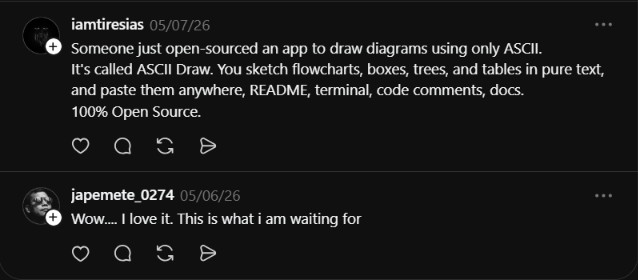
The early reaction captures the developer frustration that ASCII Draw is built to solve.
“Wow…. I love it. This is what i am waiting for”
@japemete_0274
That reaction is the signal. The user is not marveling at a feature. They are recognizing a gap they have lived with. Diagrams in code repos should be text, and ASCII Draw is the first widely usable tool that delivers on that promise.
Why ASCII Draw Matters for Documentation Culture
The bigger story is not the tool. It is the workflow shift it makes possible.
- Diagrams as Part of the Code: When a diagram is text, it sits in the same pull request as the code it documents. Reviewers see both, and the documentation can no longer quietly drift.
- Lower Friction, Higher Update Frequency: A diagram that takes ten seconds to update gets updated. A diagram that takes ten minutes does not. ASCII Draw puts the cost low enough that the docs stay accurate.
- Open Source and Forkable: The repo is open source, which means teams can fork it, customize the rendering, and ship internal versions tuned to their style guide.
- Works Without Internet: An ASCII diagram renders anywhere a terminal renders. No CDN, no image hosting, no broken link rot. The diagram is the string, and the string is portable.
This last point is what makes ASCII Draw a documentation tool rather than a diagramming tool. The value is not in the drawing, it is in the durability.
Repo: https://github.com/qindapao/ascii-draw
ASCII Draw is a small tool that solves a big problem, which is exactly the kind of open source release that earns its place in a developer’s toolkit. Every team that maintains a public or internal repo has documentation that drifts because diagrams are too expensive to update. ASCII Draw collapses that cost to almost zero by making the diagram a string instead of an image.
For developers, DevOps engineers, technical writers, and documentation teams in 2026, this is the kind of utility that quietly becomes essential within a month of use. The repo is open source, the entry barrier is zero, and the value shows up the first time a pull request review includes a diagram diff. That is the moment the tool clicks, and once it clicks, you stop reaching for the image based tools.

