
Claude HUD turns Claude Code into a live terminal dashboard. It exposes session data that usually stays hidden during work.
The plugin tracks context health, token counts, tool activity, and rate limits in near real time. It reads Claude Code’s statusline input and renders updates every 300 milliseconds. That gives you a live view without tmux or a second window.
Project link:
https://github.com/anthropics/claude-hud
How It Works
The plugin uses Claude Code’s native statusline API. It reads JSON from stdin and writes formatted output to stdout. You install it in your workspace, then configure it with /claude-hud:configure.
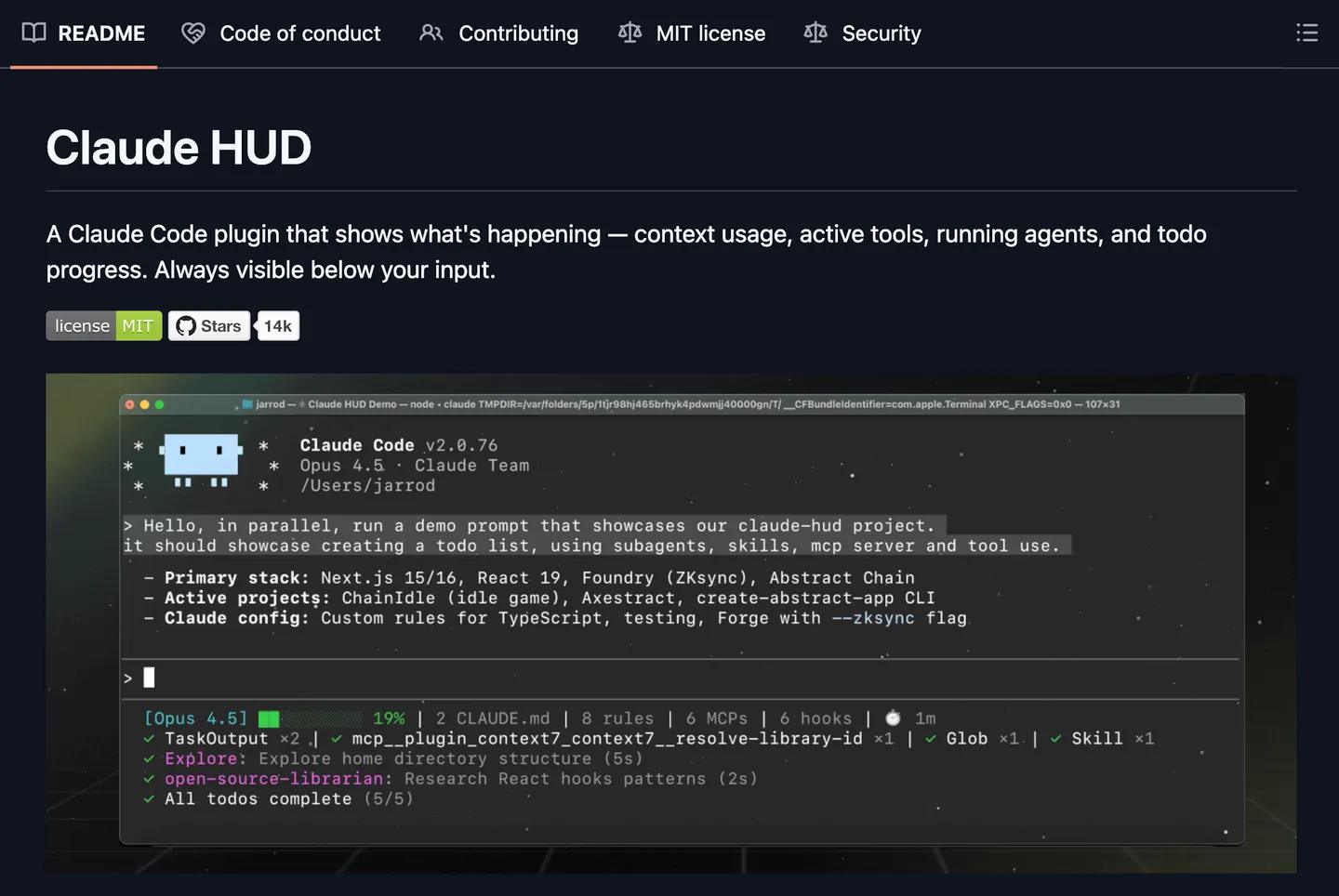
The presets cover Full, Essential, and Minimal layouts. You can also edit ~/.claude/plugins/claude-hud/config.json for colors, layout density, and directory depth. Linux users may need TMPDIR, and Windows users need a JavaScript runtime.
- Install Claude Code v1.0.80 or newer.
- Install Node.js 18+ or Bun.
- Run /claude-hud:configure in Claude Code.
- Pick a preset and restart the session.
That workflow keeps the setup short and the feedback loop tight. It also makes the HUD easy to commit with the rest of your workspace.
The Catch
Claude HUD solves a real visibility problem, but it still depends on Claude Code internals. API-key and Bedrock users lose the subscriber rate-limit display. The plugin also adds another layer of terminal noise if you prefer a minimal prompt.
Related workflows often pair well with understanding GitHub repos faster and fixing media embeds in article posts. Those posts cover the same practical habit: reduce guesswork before it slows you down.
The real value sits in team consistency. You can commit the plugin config, share the same HUD, and keep every session visible. That makes Claude HUD worth testing if you live in Claude Code all day.
- How to Cut Claude Code Context Usage by 98% with Context Mode
Context Mode is a lightweight middleware that reduces Claude Code's context consumption by 98 percent. It intercepts large tool outputs..
- How To Use Claude Anthropic Model On Openclaw
Want to integrate Anthropic models into your OpenClaw setup? Here’s what you need to know: This matters because Anthropic offers..

