
Arnis turns real-world locations into playable Minecraft maps. The open-source tool pulls data directly from OpenStreetMap to generate accurate Minecraft worlds. It converts real-world geography, topography, and architecture into block-by-block representations. This solves the tedious manual process of recreating locations in Minecraft.
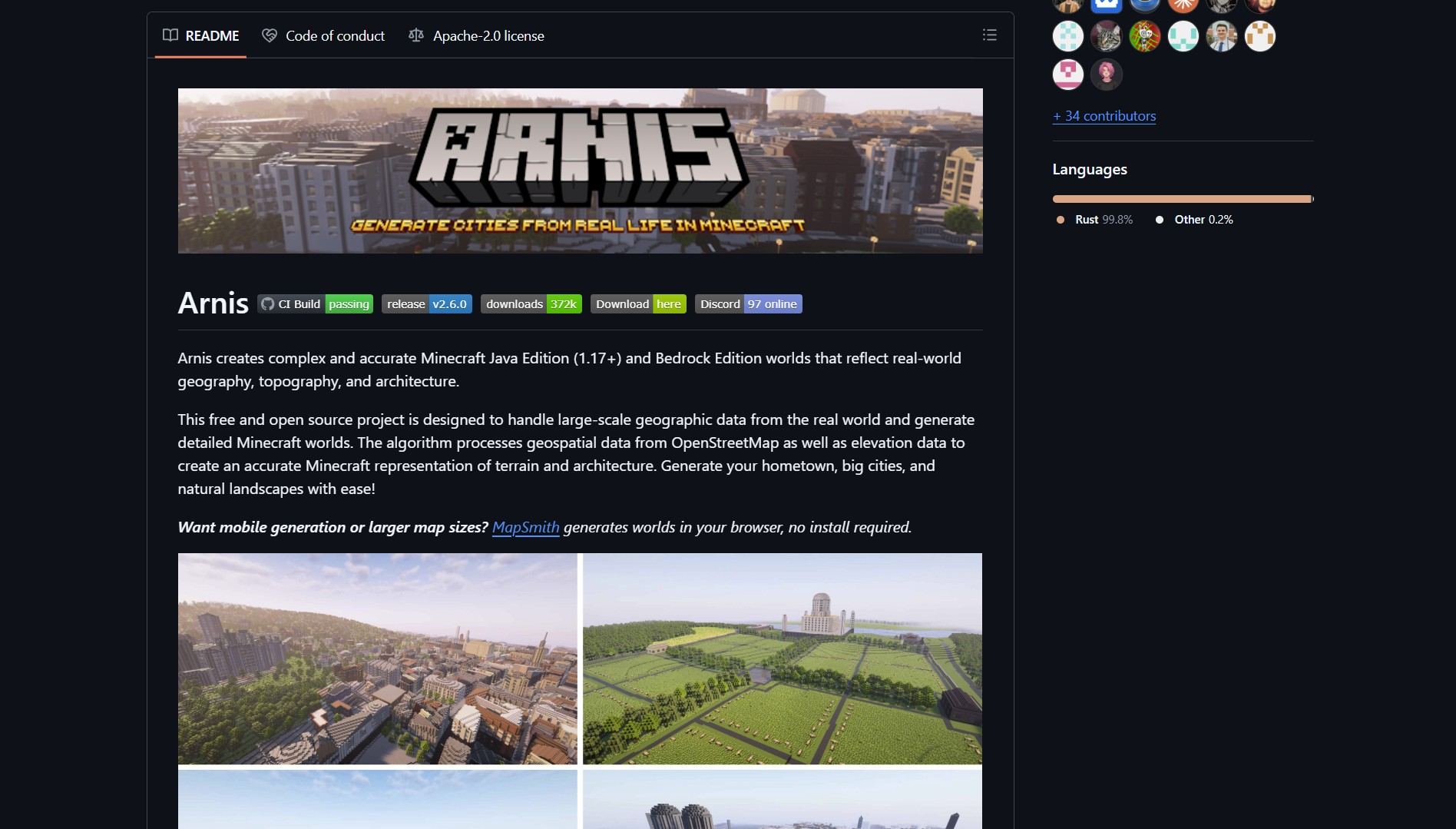
Arnis supports both Minecraft Java Edition 1.17+ and Bedrock Edition. It handles large-scale geographic data from entire cities or regions. The tool processes OpenStreetMap data alongside elevation information for accurate terrain. Users can customize generation parameters for different visual styles.
Project Repository
Project link:
https://github.com/arnis-map/arnis
How to Deploy & How It Works
Arnis works by converting OpenStreetMap data into Minecraft worlds through a multi-step process. The tool extracts geospatial data and combines it with elevation models for realistic terrain generation. This automated pipeline eliminates manual block placement and ensures geographic accuracy.
- Collect OpenStreetMap data for your target region.
- Integrate elevation data to generate accurate terrain height.
- Map OpenStreetMap features to corresponding Minecraft blocks.
- Generate the Minecraft world file with the transformed data.
- Customize block types and visual style as needed.
The process requires basic command-line knowledge and a local installation of Docker. Users can run the generator with a single command: docker run -v $(pwd):/data arnis-map/arnis. Output files are saved to the current working directory.

The Verdict / The Catch
Arnis delivers a reliable solution for converting real-world locations into Minecraft worlds. The tool handles large datasets and produces playable maps with minimal configuration. However, the generated worlds can be resource-intensive for low-end systems. Like other open-source browser tools such as FlipOff, Arnis works best with modern hardware and sufficient memory.
For users seeking to automate complex workflows, Career-Ops demonstrates similar efficiency gains in a different domain. Arnis remains a specialized tool for Minecraft enthusiasts and geographic visualization projects.
- How to Generate Music with ACE-Step 1.5 on Consumer GPUs
ACE-Step 1.5 generates commercial-quality full songs in under 2 seconds on an A100 with only 4GB VRAM ACE-Step 1.5 is..
- Small Robust AI Agent Architecture with Claw Code Rust
Claw Code is the public Rust implementation of the claw CLI agent harness used in flagship AI products. The project..