

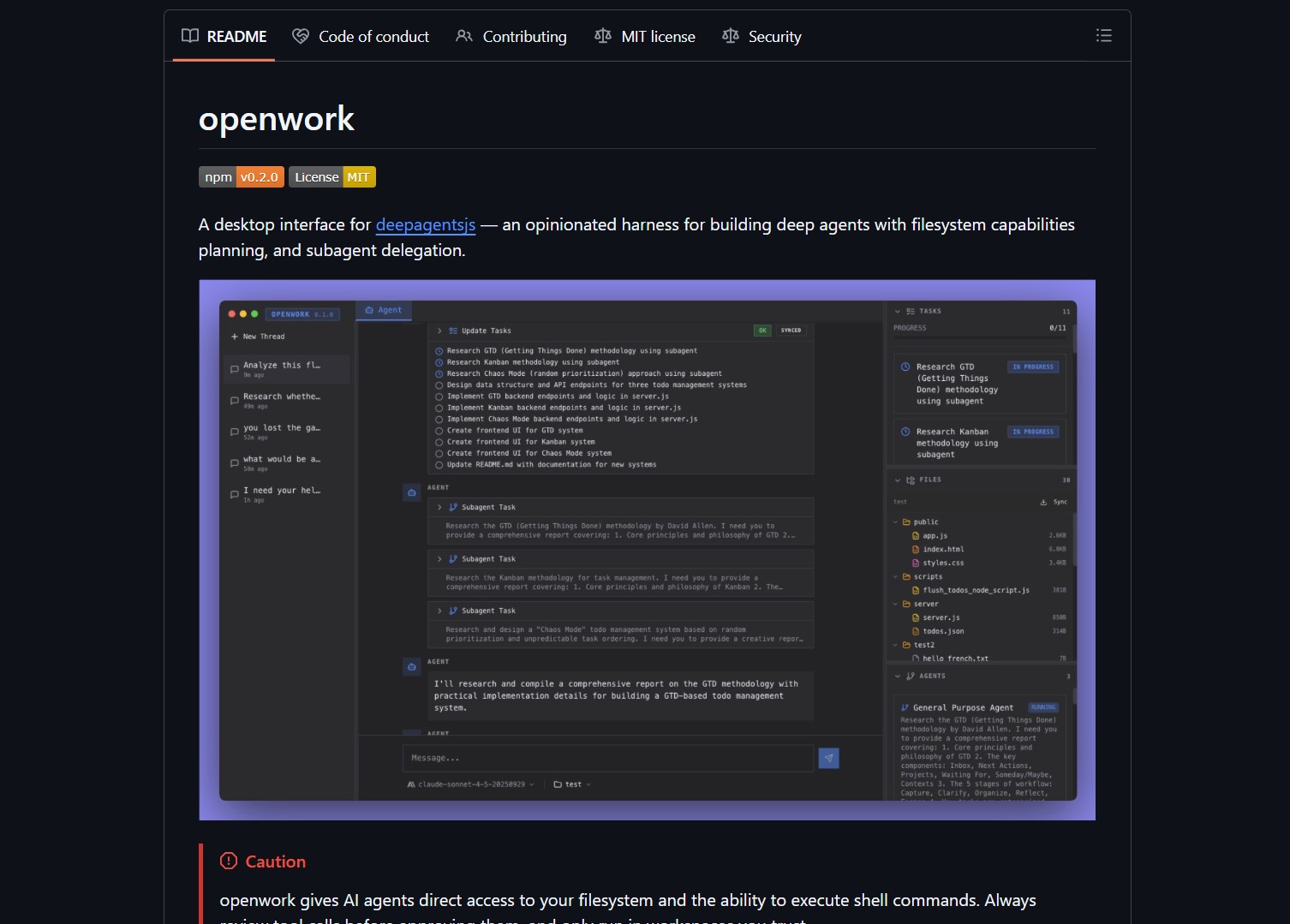
OpenWork is an opinionated desktop interface for deepagentsjs, it exposes filesystem planning, subagent delegation, and direct tool access so agents can run complex, autonomous workflows on your machine.
openwork gives AI agents direct access to your filesystem and the ability to execute shell commands. Always review tool calls before approving them, and only run in workspaces you trust.
What it is
OpenWork is a desktop harness for deepagentsjs, providing a UI and runtime that makes it easier to build and interact with deep agent workflows locally. It bundles planning primitives, a desktop front end, and helpers for delegating work to subagents, so you can prototype autonomous flows that interact with files and local tools. This approach mirrors what Hermes Agent Desktop does for Windows, but OpenWork focuses on the DeepAgents ecosystem with built-in subagent support.

How it works
At a high level, OpenWork runs deepagentsjs in a desktop context, exposing a set of tools and a planner that agents can call. The UI lets you inspect planned steps, approve tool calls, and delegate tasks to subagents. Because it surfaces filesystem and shell access, you get powerful automation, but you also take on the security responsibility to sandbox and review actions. For a different take on local agent orchestration, Eigent provides a multi-agent workforce without the desktop UI layer.
# quick start
git clone https://github.com/langchain-ai/openwork.git
cd openwork
# follow the README to install dependencies and run the desktop app
| Feature | Notes |
|---|---|
| Desktop UI | Opinionated interface for running deepagents workflows |
| Filesystem tooling | Agents can read, write, and manipulate files, with approval UI |
| Subagent delegation | Support for agent teams and delegated tasks |
| Use case | Prototyping autonomous developer workflows, local automation |
Run OpenWork in a disposable VM or a sandboxed user account while you evaluate it, so you can validate behavior without risking your main environment.
Pros and cons
Pros
- Makes deep agent workflows accessible via a desktop UI
- Useful for prototyping long running, multi step automations locally
- Open source, so you can audit and adapt tool access policies
Cons
- Direct filesystem and shell access is a security risk, review and sandbox carefully
- Not a hosted or managed solution, you are responsible for stability and access controls
- Some integrations may need manual tuning to match local environments
Video Demo & Walkthrough
Project link
Here are what peoples are saying:
“Awesome, gonna try it with ollama! And fork it of course” @little_hakr
“Damn this is insane!” @gargi_gupta97
Quick commands and examples
# clone the repo and inspect
git clone https://github.com/langchain-ai/openwork.git
ls openwork
# read the README and run demos in a sandboxed workspace
Claims and demos in curated projects should be validated before use in production, and be careful with tools that execute shell commands.
If you enjoy articles about top GitHub repositories like this, don’t forget to subscribe to Technolati.com.
- How to Use Velo as a Local-First Desktop Email Client
Velo is a blazing-fast, keyboard-first desktop email client with local SQLite storage Velo is a desktop Gmail client built with..
- How to Use PentAGI for Autonomous AI Red Teaming
PentAGI is an autonomous AI red team system that performs penetration testing with zero human input PentAGI is a fully..
- How to Use Dexter for Autonomous Financial Research
Dexter is an autonomous financial research agent that plans, executes, and validates its own investment analysis Dexter is an autonomous..
- How to Use PageIndex for Vectorless RAG on Complex Documents
Badge PageIndex argues that similarity is not the same as relevance, and it offers a vectorless, reasoning based approach to..
- How to Use Lightpanda as a Fast Headless Browser for Agents
Badge Lightpanda Browser is a headless browser written from scratch in Zig, built specifically for AI agents and automation workflows…
- How to Use Activepieces for No-Code AI Agent Automation
Activepieces is an open source alternative to Zapier that provides a visual canvas to build AI agent workflows and exposes..

