
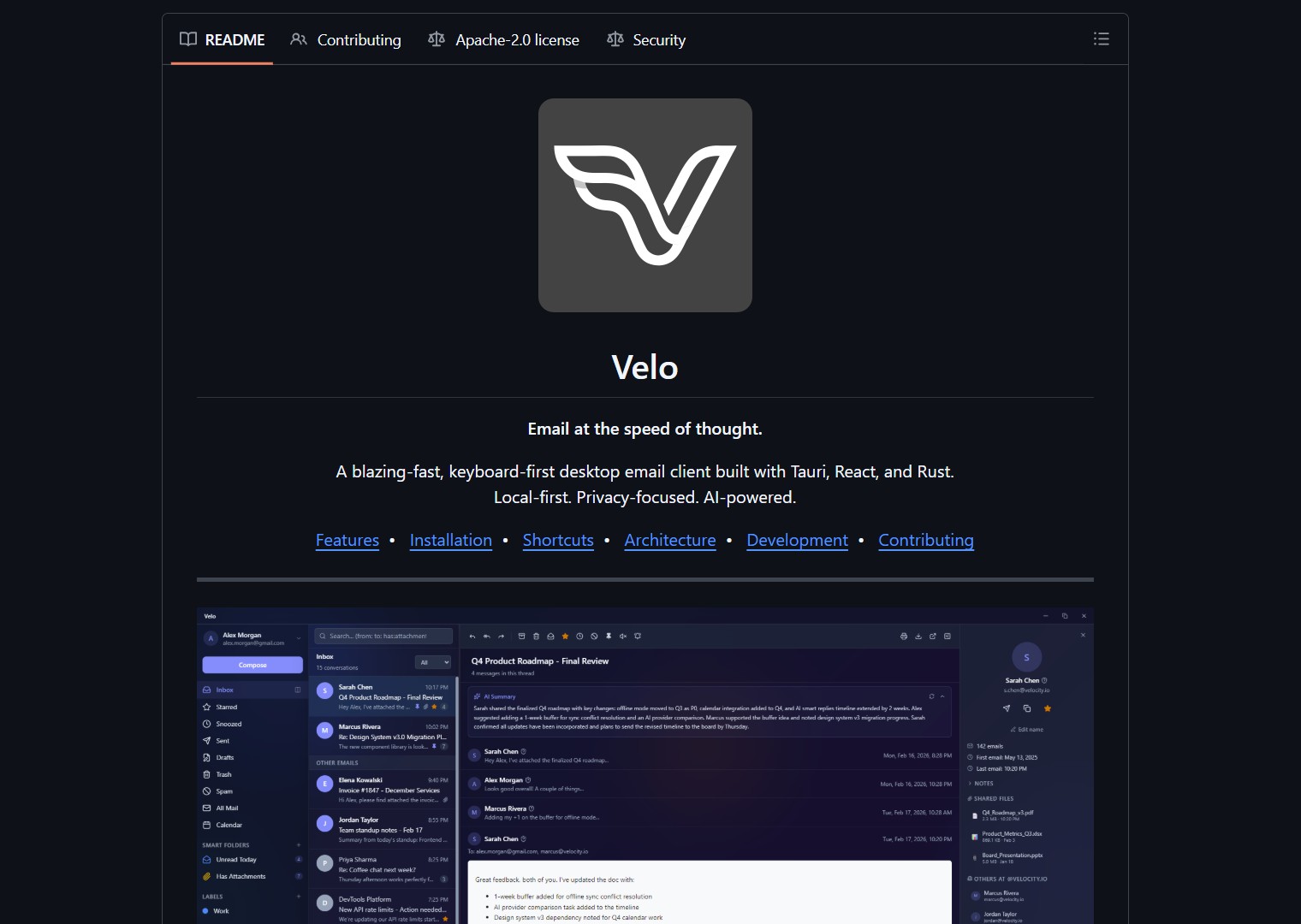
Velo is a desktop Gmail client built with Rust and Tauri. Emails sync to local SQLite with full offline access, instant startup, and low memory. It is keyboard-first with Superhuman-style shortcuts, a command palette, and AI integration for thread summaries, smart replies, and inbox search.



- Project link: github.com/avihaymenahem/velo
Why Velo
Most email clients are slow, bloated, or send your data to someone else’s server. Velo is different:
| Principle | How Velo Delivers |
|---|---|
| Local-first | Emails stored in local SQLite database. No middleman servers. Read offline. |
| Keyboard-driven | Superhuman-inspired shortcuts. Fly through your inbox without touching the mouse. |
| AI-enhanced | Summarize threads, generate replies, search inbox in natural language. Your choice of AI provider. |
| Native performance | Rust backend via Tauri v2. Small binary, low memory, instant startup. |
| Private by default | Remote images blocked, HTML sanitized, emails rendered in sandboxed iframes. Data stays on your machine. |
Features
Email & Inbox
Velo supports multi-account Gmail (API) and IMAP/SMTP for Outlook, Yahoo, iCloud, and Fastmail with instant switching. The smart inbox auto-categorizes emails into Primary, Updates, Promotions, Social, and Newsletters using AI plus rule-based filters.
| Inbox Feature | Description |
|---|---|
| Threaded conversations | Collapsible messages with full conversation history |
| Full-text search | Gmail-style operators: from:, to:, subject:, has:attachment, label: |
| Command palette | Ctrl+K or / for quick actions |
| Split inbox | Category tabs for organized triage |
| Snooze | Presets or custom date/time |
| Filters | Auto-label, archive, trash, star, or mark read |
| Quick steps | Custom action chains for batch thread processing |
| Follow-up reminders | Notifies when you have not received a reply |
| One-click unsubscribe | RFC 8058 with subscription manager |
| Newsletter bundling | Delivery schedule grouping |
Composer
The composer uses TipTap v3 for rich text editing with bold, italic, lists, code, links, and inline images. It supports undo send, schedule send, auto-save drafts, multiple signatures, reusable templates with variables, send-as email aliases with from-address selector, drag-and-drop attachments with inline preview, and frequency-ranked contact autocomplete.
AI Integration
Three providers with selectable models. Mix and match per feature:
| Provider | Available Models |
|---|---|
| Anthropic Claude | Haiku 4.5, Sonnet 4, Opus 4 |
| OpenAI | GPT-4o Mini, GPT-4o, GPT-4.1 Nano, GPT-4.1 Mini, GPT-4.1 |
| Google Gemini | 2.5 Flash, 2.5 Pro |
AI features include thread summaries, smart reply suggestions, AI compose and reply, text transform (improve, shorten, formalize), and Ask My Inbox for natural language search. All results are cached locally so repeated queries are instant.
Privacy and Security
Velo takes privacy seriously with OAuth PKCE for Gmail (no client secret, no backend servers), encrypted password storage for IMAP accounts using AES-256-GCM, remote image blocking with per-sender allowlist, phishing link detection with 10 heuristic scoring rules, SPF, DKIM, and DMARC authentication display with badges and warnings, and DOMPurify plus sandboxed iframe email rendering.
Quick Start
Installation
Download the latest release for your platform:
- Windows: .msi or .exe
- macOS: .dmg
- Linux: .deb or .AppImage
No build tools or programming knowledge required. Download, install, and run.
Account Setup
For Gmail, create OAuth credentials in Google Cloud Console (enable Gmail API and Calendar API), then enter your Client ID in Velo’s Settings. No client secret needed because Velo uses PKCE.
For IMAP and SMTP, click “Add IMAP Account” in the account switcher. Enter your email and password. Velo auto-discovers server settings for Outlook, Yahoo, iCloud, Fastmail, and other popular providers. Manual configuration is also available.
AI Setup (Optional)
Add an API key for Anthropic, OpenAI, or Google Gemini in Settings. Select which model to use per provider.
[!NOTE]
All AI processing happens via API calls to the provider you choose. No data is sent to Velo’s servers because there are none. The architecture is entirely local-first.
Tech Stack
| Layer | Technology |
|---|---|
| Framework | Tauri v2 (Rust) + React 19 + TypeScript |
| Styling | Tailwind CSS v4 |
| State | Zustand 5 (8 stores) |
| Editor | TipTap v3 |
| Gmail API, IMAP/SMTP (async-imap + lettre in Rust) | |
| Database | SQLite + FTS5 (33 tables) |
| AI | Claude, GPT, Gemini |
| Testing | Vitest + Testing Library |
git clone https://github.com/avihaymenahem/velo.git
cd velo
npm install
npm run tauri dev
Building from source
For developers who want to build Velo themselves:
Prerequisites: Node.js v18+, Rust, and Tauri v2 dependencies.
Calendar Integration
Velo includes Google Calendar sync with month, week, and day views. You can create events without leaving the app. The calendar integration uses the same OAuth credentials as your Gmail account.
System Integration
The client supports mailto: deep links, a global compose shortcut, autostart with hidden tray option, single instance enforcement, and a customizable keyboard shortcuts system documented in the project’s keyboard shortcuts guide.
What the Community Is Saying
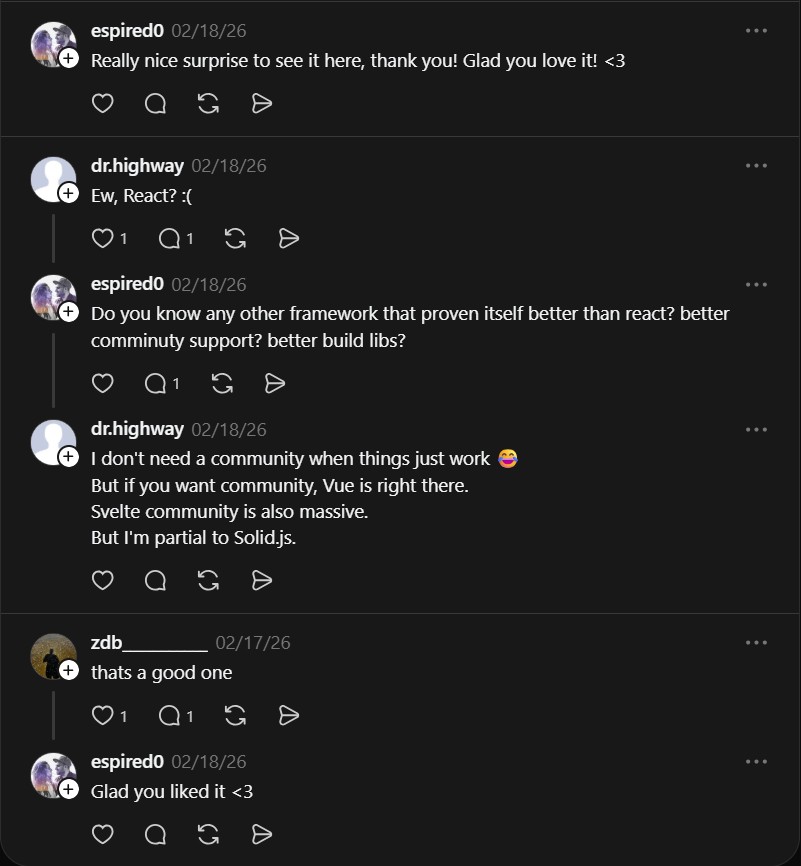
The Threads post about Velo received positive reactions. The developer, @espired0, responded directly: “Really nice surprise to see it here, thank you! Glad you love it! <3" While @zdb_ simply commented “thats a good one.”
Velo by avihaymenahem is for privacy-focused power email users. It solves the problem of slow, bloated, and data-leaking email clients by offering a fast, local-first, AI-enhanced desktop inbox that puts you in control of your data.
If you want a similar local-first approach for media, TeVe is an open-source IPTV player that streams 10,000+ free channels without a central server. And for managing AI agents that can assist with email tasks, Dexter provides autonomous financial research capabilities.
If you enjoy articles about top GitHub repositories like this, don’t forget to subscribe to Technolati.com.
- How to Use PentAGI for Autonomous AI Red Teaming
PentAGI is an autonomous AI red team system that performs penetration testing with zero human input PentAGI is a fully..
- How to Use Dexter for Autonomous Financial Research
Dexter is an autonomous financial research agent that plans, executes, and validates its own investment analysis Dexter is an autonomous..
- How to Use PageIndex for Vectorless RAG on Complex Documents
Badge PageIndex argues that similarity is not the same as relevance, and it offers a vectorless, reasoning based approach to..
- How to Use OpenWork as a Desktop Interface for DeepAgents
Badge OpenWork is an opinionated desktop interface for deepagentsjs, it exposes filesystem planning, subagent delegation, and direct tool access so..
- How to Use Lightpanda as a Fast Headless Browser for Agents
Badge Lightpanda Browser is a headless browser written from scratch in Zig, built specifically for AI agents and automation workflows…
- How to Use Activepieces for No-Code AI Agent Automation
Activepieces is an open source alternative to Zapier that provides a visual canvas to build AI agent workflows and exposes..

